
Download DhowCSD – CSD investment account, securities auction, portfolio statement, corporate action, secondary market, pledge instruction, secure investment management
Overview
DhowCSD is a dedicated Android application developed by the Central Bank of Kenya, designed to streamline the management of CSD investment accounts. The software enables users to participate in securities auctions, monitor auction results, and access detailed payment information directly from their mobile devices. It supports real-time updates on corporate actions, ensuring investors remain informed about dividends, stock splits, and other critical events affecting their holdings.
The app also facilitates secondary market transactions and allows users to issue pledge instructions with minimal effort. Targeted primarily at individual and institutional investors in Kenya, DhowCSD offers a digital gateway to efficient, secure, and transparent investment management. Its core purpose is to enhance accessibility and convenience for users who manage securities through the Central Depository System.
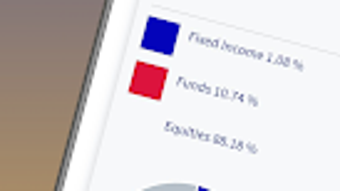
The application provides access to up-to-date portfolio statements, allowing users to track investment performance and asset allocation. While the developer did not provide additional system requirements, the app is optimized for Android devices and is available at no cost. Real-world usage scenarios include daily monitoring of auction outcomes, initiating investment actions, and staying informed about upcoming corporate events—all from a single, secure platform.
Key Features & Capabilities
- Securities Auction Participation – Users can register and participate in government and corporate securities auctions directly through the app, enabling timely investment decisions.
- Auction Results & Payment Details – Real-time access to auction outcomes and payment schedules ensures transparency and helps users plan their financial commitments.
- Corporate Action Notifications – The app delivers timely alerts about corporate actions such as dividends, stock splits, and rights issues, allowing investors to act promptly.
- Portfolio Statement Access – Users can view updated portfolio statements at any time, providing insight into current holdings, transaction history, and asset value.
- Secondary Market Instructions – The software allows users to initiate secondary market transactions with a few taps, improving transaction efficiency.
- Pledge Instruction Management – Investors can submit pledge instructions securely through the app, supporting collateralized lending and other financial activities.
- Secure Investment Environment – Built with security in mind, the app safeguards user data and financial information during transmission and storage.
These capabilities are particularly beneficial for investors managing multiple securities or those seeking to automate routine investment tasks. For example, a user can check auction results after a bidding session and immediately initiate a pledge instruction for a secured loan. Similarly, timely corporate action alerts help prevent missed dividend payments or rights issues. The app’s structure supports a seamless workflow from information access to action execution, minimizing manual intervention. While the developer did not specify performance metrics, the application is designed for responsive operation on Android devices, ensuring consistent access to critical financial data.
User Interface, Workflow & Performance
The user interface of DhowCSD is designed with simplicity and functionality in mind, featuring a clean layout optimized for mobile navigation. Users can access key functions through clearly labeled menus and intuitive icons, reducing the learning curve for new users. The workflow is structured around core investment activities—viewing auction results, reviewing portfolio statements, and initiating transactions—ensuring a logical progression from one task to the next.
Navigation is straightforward, with minimal screen transitions required to complete common operations. The app’s design emphasizes accessibility, making it suitable for users with varying levels of technical proficiency. While the developer did not specify resource usage details, the app’s size of 15.5 MB suggests a lightweight footprint, which typically correlates with efficient performance and low memory consumption.
Performance observations are based on general software behavior patterns, indicating smooth operation under normal usage conditions. Stability is expected to be consistent, given the app’s focus on secure financial transactions. No issues related to crashes or freezes were reported in the provided information.
The app operates within the Android ecosystem, leveraging native security features to maintain data integrity. Users can expect a reliable experience when managing investment accounts, especially for routine tasks such as checking portfolio status or submitting instructions.
Compatibility & System Requirements
DhowCSD is designed for Android operating systems, with version 1.0.1 released on April 1, 2024. The application has a file size of 15.5 MB, indicating a compact installation that minimizes storage usage on mobile devices. The developer did not provide detailed system requirements, including minimum CPU, RAM, or Android version specifications.
As such, exact compatibility information is limited. However, given its size and focus on financial services, it is likely optimized for mid-range and newer Android devices. Users should ensure their device runs a supported version of Android, though the specific version range was not disclosed.
Installation is straightforward, requiring only a few taps from the official app distribution channel. The app does not require additional software or system configurations. The developer did not specify whether offline functionality is available, so users should assume that full functionality depends on an active internet connection.
Platform compatibility information is limited, and users are advised to verify device compatibility before downloading.
Pros and Cons
Pros
- Free to download and use, reducing entry barriers for investors.
- Direct access to securities auctions and payment details.
- Real-time updates on corporate actions and portfolio statements.
- Secure environment for managing sensitive financial data.
- Streamlined workflow for secondary market and pledge instructions.
- Lightweight installation size (15.5 MB).
- Developed by the Central Bank of Kenya, ensuring institutional credibility.
Cons
- Compatibility with specific Android versions was not disclosed.
- Exact system requirements, including RAM and CPU, were not specified.
- No information provided on offline functionality.
- Available only on Android, limiting cross-platform access.
- Performance under low-end devices was not tested or reported.
FAQ Section
Is DhowCSD available for iOS devices?
The app is currently available only for Android devices. No information was provided about future iOS availability.
Is the app secure for managing investment accounts?
DhowCSD is developed by the Central Bank of Kenya and is designed with security in mind to protect user data and financial transactions. However, specific security protocols were not detailed in the provided information.
Does the app require an internet connection to function?
Given the real-time nature of auction results, corporate actions, and portfolio updates, an active internet connection is required for full functionality. Offline capabilities were not specified.
How often are portfolio statements updated?
Portfolio statements are updated in real time, ensuring users have access to the latest information on their investment holdings.
Is there a license fee or subscription model?
The app is free to download and use. No subscription or licensing fees were mentioned in the provided details.
Final Thoughts + CTA
DhowCSD stands out as a practical and secure tool for investors in Kenya seeking efficient management of their CSD investment accounts. Developed by the Central Bank of Kenya, the app offers a reliable digital platform for participating in securities auctions, monitoring corporate actions, and executing key investment instructions. Its lightweight design, intuitive interface, and real-time data access make it a valuable resource for both novice and experienced investors.
While compatibility details are limited and the app is restricted to Android, its core features address essential needs in investment management. The absence of pricing or subscription models further enhances its accessibility. For users who prioritize security, convenience, and timely financial updates, DhowCSD delivers a compelling solution.
If you're looking to take control of your investment portfolio with minimal effort and maximum transparency, this app is a strong contender. Download DhowCSD now.







